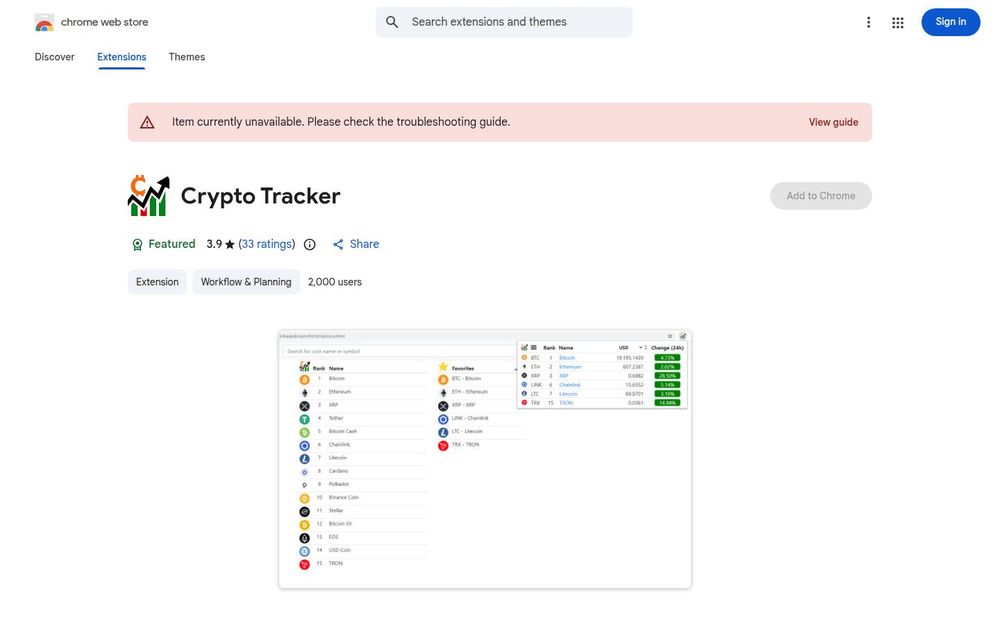
Crypto Tracker is a lightweight Chrome extension that helps you stay up-to-date with cryptocurrency price movements and market changes directly in your browser. The extension supports tracking for a wide range of cryptocurrencies, displays real-time or near-real-time price updates, and provides a compact toolbar or badge view so you can monitor prices while you browse. Developed by Dinh Luong, the extension is small in size (around 99.16 KiB), lists English (United States) as its language, and has a modest user base with roughly 2,000 users and a 3.9-star average from 33 ratings. The developer declares that no user data is collected or sold, and the extension follows recommended Chrome Web Store practices, making it a simple privacy-conscious option for casual price tracking and quick market checks.
Crypto Tracker is a minimal Chrome extension designed to give users quick access to cryptocurrency price information without leaving their current browser context. It aims to deliver a simple, unobtrusive experience: display the latest price changes, let users follow specific coins, and present short updates via a browser badge or compact popup. The extension is maintained by Dinh Luong, is small in download size (about 99.16 KiB), and targets users who want an easy way to monitor coin movements without installing heavyweight tools or separate apps.
Real-time Price Monitoring: Displays current prices and percentage changes for supported cryptocurrencies so you can see market movement at a glance.
Custom Coin Tracking: Add or follow your favorite cryptocurrencies to get focused updates instead of generic market lists.
Compact Browser Display: Uses a toolbar icon or badge to surface price information and changes without opening a full dashboard.
Lightweight and Fast: The extension is intentionally small and uses minimal browser resources, making it suited for users who prefer a low-footprint tool.
Privacy-Focused Disclosure: The developer has declared that the extension does not collect or use user data, and does not sell data to third parties for unrelated purposes.
Crypto Tracker leverages public price feeds or APIs to fetch current market quotations for the coins you choose to follow. Once installed, the extension's icon provides a quick visual indicator (price or percentage change) and a popup that lists selected coins and their most recent values. Settings, when available, allow you to customize which cryptocurrencies appear and how price changes are shown (absolute or percentage). The lightweight architecture prioritizes speed over advanced charting or in-depth analytics, making it best suited for quick market checks.
A notable aspect of this extension is the developer’s privacy declaration: no user data collection and no data sale outside limited, approved use cases. The developer contact is listed (dinhnluong@gmail.com) for support or reporting issues. Additionally, Crypto Tracker follows recommended Chrome Web Store practices and displays an item listing that includes versioning (e.g., Version 2309) and last update information (September 8, 2023). Users should still apply general extension best practices: verify permissions during install and review any updates for permission changes.
Simplicity: If you want a quick, no-frills way to watch a handful of coins while you browse, Crypto Tracker delivers value without the complexity of full portfolio apps.
Performance: Its small size and streamlined function minimize CPU and memory usage compared with larger charting tools.
Privacy: The developer’s explicit statement about not collecting or selling data may be attractive to privacy-conscious users.
Accessibility: With an easy-to-use toolbar badge and straightforward interface, it’s accessible to beginners who need basic price awareness rather than deep technical analysis.
Crypto Tracker is best regarded as a lightweight monitoring tool rather than a comprehensive trading platform. It works well for casual users who need immediate price visibility, but those requiring detailed charts, historical data, trading functionality, or portfolio management should pair it with dedicated apps or services. Always confirm that the extension’s data sources and permissions match your security and privacy expectations before installing.